
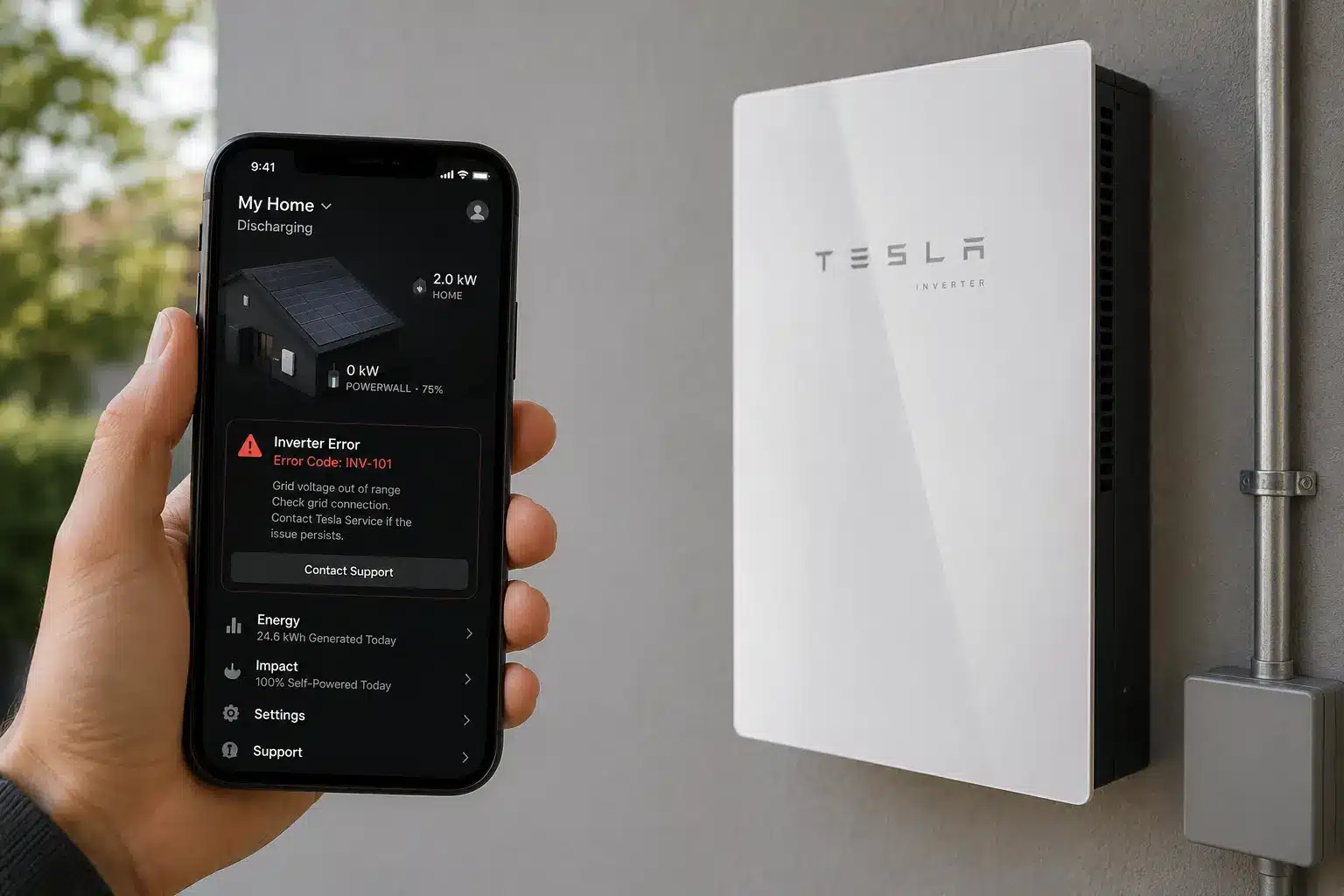
When your Tesla inverter displays an error code, it’s signaling that something in your solar system needs attention. Whether you see a blinking red LED on your inverter or an alert in the Tesla app, understanding what these codes mean can help you decide whether it’s a quick fix or time to call a technician.
How Tesla inverters communicate errors
Tesla solar inverters and Powerwall systems communicate problems through two main channels: LED indicator lights on the inverter itself and status messages in the Tesla mobile app. A completely white LED indicates normal operation, glowing white indicates idle mode, and blinking red indicates an error. The Tesla app provides more detailed alerts including specific fault types and system status messages.
Error indicators are Tesla’s way of protecting your system from damage. When the inverter detects conditions outside safe operating parameters—like overheating, grid voltage problems, or wiring faults—it will shut down production and display an error. This is a safety feature, not a defect. Understanding what triggered the shutdown is the first step toward getting your system back online.
Most errors fall into a few broad categories: isolation and ground faults, arc faults, grid connection issues, communication failures, and component overheating. The specific error code or message tells you which system the inverter flagged. Some errors resolve on their own once conditions normalize (like a temporary grid voltage spike). Others require a service call.
Common Tesla inverter error codes and what they mean
While Tesla doesn’t publish a comprehensive numbered error code list for homeowners, the system uses descriptive alerts that clearly indicate the problem. Here are the most common fault messages you’re likely to encounter:
Isolation self-test failure
The Powerwall+ / Tesla Solar Inverter is failing the Isolation self-test and is triggering “PV Isolation Total” or “PV Isolation 24Hr Lockout” alerts. A true isolation failure occurs when the resistance between Positive or Negative and Ground is greater than the threshold specified in the firmware, often caused by damaged wiring, a module fault, or incorrect string connections. This is a serious electrical safety issue that requires professional diagnosis.
Arc fault lockout
If a Powerwall+ / Tesla Solar Inverter experiences five Arc Fault alerts within 24 hours, an Arc Fault lockout will occur. Arc faults indicate electrical arcing—sparks caused by loose connections, frayed wires, or damaged junction boxes. These are fire hazards, so Tesla systems are designed to shut down immediately when detected.
Grid fault
This error indicates that there is a problem with the grid connection. Grid faults occur when utility voltage or frequency falls outside acceptable ranges. Sometimes these resolve when grid conditions stabilize. If the error persists, it could indicate a problem with your inverter’s grid connection settings or faulty metering equipment.
Over temperature
The system can sometimes produce this code when the inverter overheats due to inadequate ventilation. Tesla inverters are typically installed in garages or on exterior walls. If airflow is blocked or ambient temperatures are very high, the inverter will throttle production or shut down to prevent component damage.
Communication error
This often occurs when there is a network issue, making it impossible for the inverter to connect to Tesla. Communication errors can be caused by weak Wi-Fi signal, router issues, or a fault in the Gateway that manages your system. Your inverter may continue producing power but won’t report data to the app.
MCI self-test failure
MCI stands for Module Current Interrupter, a safety device that allows the inverter to disconnect individual solar strings. The Powerwall+ / Tesla Solar Inverter is failing the MCI self-test. This usually indicates a problem with the MCI component itself or incorrect string wiring at the inverter.
What to check before calling for service
When you see an error, there are a few simple troubleshooting steps you can safely perform before scheduling a service call. Always prioritize safety—never open the inverter enclosure or touch any wiring yourself.
Check the Tesla app first. Open the app and look for system alerts. The app often provides more detail than the LED alone. Note the exact error message, the time it occurred, and whether production has stopped completely or just decreased.
Verify your circuit breakers. Check the inverter’s DC disconnect switch and AC breaker to ensure they are on. Sometimes a breaker trips due to a temporary issue. If a breaker has tripped, you can try resetting it once—but if it trips again immediately, stop and call a technician. Repeatedly resetting a tripping breaker can cause equipment damage or create a fire hazard.
Look for obvious environmental issues. Is the inverter in direct sunlight or blocked by storage items? Ensure the inverter has adequate ventilation and is not exposed to extreme temperatures. Clear any obstructions and see if the error clears after the unit cools down.
Check your internet connection. For communication errors, verify that your home Wi-Fi is working and that the Gateway has a strong signal. A network issue can be resolved by examining your router, checking for loose connections, or rebooting your internet connection.
Power cycle the system cautiously. Power cycling the device by turning it off and then on after a short interval can clear some transient faults. However, this should only be done if you’re comfortable locating the correct breaker and the error message doesn’t indicate a serious fault like arc detection or isolation failure.
If you’ve checked these basics and the error persists, it’s time to contact a professional. For help finding a qualified solar technician in your area, visit our installer directory.
When to call a professional immediately
Some Tesla inverter errors require immediate professional attention. Do not attempt to troubleshoot these yourself:
Any isolation or arc fault alert. These indicate potential electrical hazards. Do not attempt to repair the inverter yourself. Isolation faults suggest current may be leaking to ground through damaged equipment. Arc faults mean electrical arcing is occurring somewhere in your system—a fire risk that must be addressed by a licensed professional.
Flashing red LED that won’t clear. A flashing red light on the Powerwall 3 indicates a fault condition that requires attention. While some faults clear after a power cycle, a persistent flashing red light means the inverter has detected a condition it cannot safely operate under.
Repeated breaker trips. If the same breaker trips more than once, there’s an underlying electrical fault that needs diagnosis. If the breaker trips again, do not reset repeatedly. Check for electrical faults before resetting and contact a certified installer if the breaker continues to trip.
Complete loss of solar production for more than a day. Solar Generation Limited indicates that a system error is causing one or more solar inverters to not generate power. Contact your installation contractor to schedule an on-site inspection. While brief outages during grid disturbances are normal, extended downtime usually indicates a component failure or configuration issue.
Any error you don’t understand. If the Tesla app displays an alert you can’t interpret or the inverter behavior seems unusual, don’t guess. Tesla systems contain high-voltage DC and AC circuits that are dangerous for untrained individuals. Professional solar technicians have the diagnostic tools, training, and access to Tesla support channels to resolve issues safely.
What happens during a Tesla inverter service call
When a certified technician responds to your Tesla inverter error, they follow a structured diagnostic process. Understanding what to expect can help you prepare and communicate effectively with your service provider.
The technician will start by reviewing the error history in the Tesla app and checking the inverter’s internal logs through the Tesla One commissioning tool. This software, available only to certified installers, provides detailed fault data that isn’t visible to homeowners. They’ll note when errors occurred, how frequently, and under what conditions.
For isolation faults, they’ll confirm the resistance value is greater than 1 MΩ. If the value is less than 1 MΩ, there is likely a damaged wire and/or ground fault in the system. This requires testing individual strings to locate the fault—often involving roof access to inspect junction boxes, connectors, and module wiring.
For arc faults, they’ll perform a tug test on all vulnerable connection points on the roof: wiring in junction boxes (look for frayed wires, conductors pulled too tightly), and ensure jumpers in J-boxes are secure along with wires. They’ll also verify that strings are correctly labeled and connected according to the system plan.
Grid fault diagnosis involves measuring voltage and frequency at the point of interconnection to confirm utility power is within spec. If grid parameters are correct, the issue may be with the inverter’s internal grid monitoring or a faulty current transformer (CT) that measures power flow.
Depending on what’s found, repairs might include replacing damaged wiring, tightening connections, swapping out a faulty MCI or inverter component, or adjusting system settings. In some cases, the inverter itself may need replacement under warranty. Most Tesla inverter warranties cover equipment defects for 12.5 years, though labor costs for diagnosis and repair may apply depending on your original installation contract.
Preventing future inverter errors
While some inverter faults are unpredictable, regular maintenance can reduce the likelihood of many common errors and catch problems before they cause extended downtime.
Keep your inverter area clear and cool. Ensure at least 12 inches of clearance on all sides for airflow. Don’t store items against or on top of the unit. If your inverter is in a garage, avoid parking directly in front of it where vehicle exhaust and heat can affect performance.
Monitor your system regularly through the Tesla app. Check production data weekly. A gradual decline in output or frequent brief outages can be early warning signs of developing issues. The sooner you catch anomalies, the easier and less expensive they typically are to fix.
Schedule an annual inspection. Many installers offer maintenance plans that include yearly checkups. A technician can inspect roof wiring, tighten connections that may have loosened due to thermal cycling, verify your system is still connected correctly, and update firmware if needed. This is especially important for systems in harsh climates with extreme temperature swings, high winds, or salt air exposure.
Keep your installation documentation accessible. Your system planset, inverter serial numbers, and warranty information should be in a folder (physical or digital) you can quickly reference. If an error occurs, this information helps service providers diagnose faster. If your original installer is no longer in business, see our guide on what to do when your solar installer goes out of business.
Address errors promptly. Don’t ignore alerts in the Tesla app, even if your system seems to be producing power. Some faults that seem minor—like intermittent communication errors—can be symptoms of problems that will worsen over time. Early intervention typically costs less than waiting until something fails completely.
Understanding your Tesla inverter warranty coverage
Tesla solar inverters and Powerwall systems come with comprehensive warranty coverage, but understanding what’s covered—and what’s not—can save you money and frustration when errors occur.
Tesla solar inverters typically carry a 12.5-year warranty covering defects in materials and workmanship. This includes failure of internal components like the inverter board, relays, or monitoring equipment. If your inverter fails due to a manufacturing defect during the warranty period, Tesla will repair or replace the unit at no cost for parts.
However, warranty coverage typically does not include labor costs for diagnosis and repair, especially after the first year. It also excludes damage caused by external factors: lightning strikes, grid surges, physical impact, water intrusion from roof leaks, pest damage, or improper modifications. If an arc fault is traced to loose connections made during installation, that’s an installation defect—potentially covered under your installer’s workmanship warranty, not Tesla’s equipment warranty.
Before paying for a service call, check whether your error is equipment-related (covered) or installation-related (may be covered under a separate workmanship warranty). Your original installation contract should specify the workmanship warranty term—typically 5 to 10 years for reputable installers. If you’re outside both warranty periods, you’ll be responsible for the full cost of repairs.
To file a warranty claim, you’ll need your inverter serial number, installation date, and documentation of the fault. Your service provider can initiate the claim process through Tesla’s installer support channels. Be aware that warranty claims can take several weeks to process, during which your system may remain offline. For more on solar equipment warranties, see our article on how long solar panels and equipment last.
Frequently Asked Questions
Final Thoughts
Tesla inverter error codes can be frustrating, especially when they interrupt your solar production. But these alerts exist to protect your investment and your safety. Understanding what common errors mean and when to call for help puts you back in control.
Most errors fall into predictable categories: wiring and connection faults, grid issues, overheating, and communication problems. Simple checks—breakers, ventilation, internet connection—can sometimes get you back online quickly. But electrical faults like isolation failures and arc detection always warrant professional attention. These aren’t DIY repairs, and attempting them can void warranties or create safety hazards.
If you’re dealing with a persistent Tesla inverter error and need qualified help, our installer directory connects you with certified solar service providers in your area who are trained on Tesla equipment. The right technician will have the diagnostic tools and Tesla support access to resolve issues efficiently—getting your system back to doing what it does best: producing clean, reliable energy for your home.