
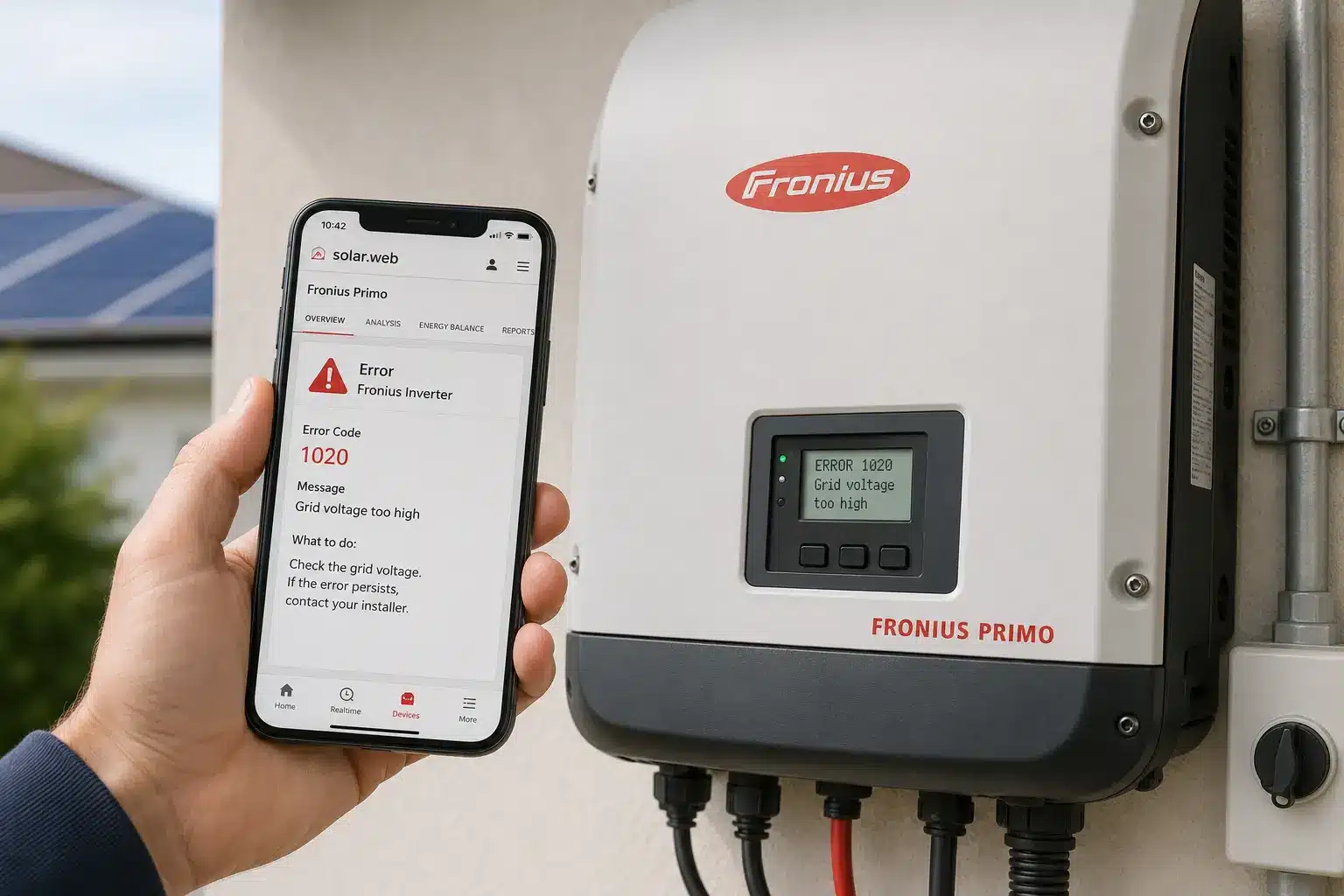
Fronius inverter error codes can be confusing when they show up on your system display or in your Solar.web app. Most Fronius codes are informational—the inverter is doing its job protecting your system—but some indicate real problems that need attention. This guide explains the most common Fronius state codes, what they mean, and how to troubleshoot them.
How Fronius state codes are organized
Fronius inverters use a numbering system called “state codes” to communicate status and errors. Unlike simple error messages, these codes are grouped by category, which helps you understand severity at a glance.
1xx codes — Grid issues: The inverter has disconnected because grid voltage or frequency is outside safe limits. State 102 (voltage too high) is the most common in this class. The system will reconnect automatically when the grid stabilizes.
3xx codes — Operational messages: These are informational, not faults. State 306 (power low) and State 307 (DC voltage low) appear at dawn and dusk when there isn’t enough sunlight to generate—completely normal behavior.
4xx codes — Hardware faults: The inverter has detected a component or communication failure. State 401, State 407 (temperature sensor), and State 457 are the most common and usually require a technician.
5xx codes — Notifications: Non-critical alerts that display until you acknowledge them in the app. State 509 (no feed-in for 24 hours) may indicate snow cover, soiling, or a genuine fault.
Understanding these categories helps you decide whether to wait, reboot, or call your installer.
State 102: AC voltage too high
State 102 is the most common Fronius error code homeowners encounter. It means your inverter measured grid voltage above the safe threshold—typically above 253 volts on a nominal 230V supply in some regions, or proportional limits on 240V networks in the U.S.
The inverter disconnects to protect itself and your home’s electrical system. It will reconnect automatically when voltage drops, but if this happens repeatedly during peak sun hours, you lose significant generation.
What causes it: The underlying issue is usually grid infrastructure that wasn’t designed for widespread solar export. When multiple homes on your street export power simultaneously during midday, local voltage rises. Homes farthest from the utility transformer see the highest voltage and trip first.
What to do: If you see State 102 occasionally (a few times per month), it’s annoying but not urgent. If it’s happening daily during peak production, contact your utility to report high voltage. In some cases, your installer can adjust the inverter’s volt-watt response settings to reduce tripping without violating grid codes. This is a configuration change, not a repair.
State 102 is a network issue, not an inverter fault. Don’t let anyone sell you a new inverter to “fix” this—it won’t help.
State 306 and 307: DC low and power low
State 306 (power low) and State 307 (DC low voltage) are normal operational messages, not errors. They appear when your solar panels aren’t producing enough voltage or power for the inverter to feed energy to the grid.
You’ll see these codes at sunrise and sunset, on very cloudy days, or if panels are shaded. The inverter needs a minimum threshold of DC input to operate—usually around 150-200 volts depending on the model—and these codes simply mean you’re below that threshold.
When to worry: If State 306 or 307 appears persistently during midday in clear weather, that’s different. It could indicate a problem with your panels, wiring, or DC disconnect. Check for obvious issues like a tripped disconnect switch or heavy soiling on the panels. If everything looks normal and the code persists, contact your installer—it may be a string wiring issue or a failing panel.
For help identifying other system issues, see our guide on outdated solar technology and when components may need attention.
State 401: Communication or grid fault
State 401 on Fronius inverters typically indicates a loss of internal communication between the inverter’s control board and its power stage. On some models, it can also relate to grid monitoring faults.
This is a hardware-level error. It won’t resolve on its own by waiting for better weather or grid conditions.
What to try first: Shut down the inverter using the DC disconnect switch (usually mounted near the inverter or on the side of your house), wait 60 seconds, then restart. This clears the inverter’s memory and re-establishes communication paths. If State 401 clears and doesn’t return, you’re good.
If it persists: Contact your installer or a licensed solar technician. State 401 usually means a failed communication board, loose internal connector, or firmware issue. These aren’t DIY fixes. Fronius has good warranty support, and if your system is under 10 years old and registered on Solar.web, the repair should be covered under warranty.
If your installer is no longer in business, see our article on what to do when your solar installer went out of business.
State 516: Insulation fault or power stack error
State 516 has different meanings depending on your Fronius inverter model. On older models like the Fronius IG Plus, it indicates that one power stack has exceeded the permitted limit of error messages per day (more than 50 faults). On hybrid models, it may indicate a communication failure with an attached battery storage unit.
Either way, State 516 is serious. It suggests a systemic fault—not a temporary grid or weather issue.
What to do: Perform a full shutdown: turn off the DC disconnect, wait two minutes, turn off the AC disconnect (if accessible), wait another minute, then restart in reverse order (AC first, then DC). If State 516 persists after reboot, the inverter likely has a fatal internal error and will need repair or replacement.
Warranty coverage: Fronius inverters installed in the U.S. from March 2024 onward come with a 10+2 year warranty when registered on Solar.web. As of June 2026, new Fronius inverters automatically receive a 10-year warranty upon registration. Check your registration status in the Solar.web portal under “Product registration.” If you’re within the warranty period, Fronius will cover parts and, depending on your warranty tier, may cover labor and shipping as well.
Parts availability for Fronius repairs can vary by region and model generation. Older inverters (pre-2018) may have longer lead times for replacement boards. Your installer or service provider can check availability through Fronius support channels.
Using Fronius Solar.web for diagnostics
Every Fronius inverter with built-in data communication automatically sends status updates to the Solar.web monitoring platform. This is one of the most useful diagnostic tools you have as a homeowner—it tracks every state code, when it occurred, and how long it lasted.
How to check your event log: Log in to Solar.web via browser or the Solar.web app. Navigate to your system, then select “System details” or “Event log.” You’ll see a timeline of all state codes. Look for patterns: Does State 102 happen every day at noon? Does State 306 only appear at dawn? Patterns tell you whether the issue is environmental (grid, weather) or hardware (inverter, wiring).
Solar.web also shows real-time and historical production data. If your inverter is online and reporting but production is lower than expected, compare daily output to previous months. A sudden drop without a corresponding state code may indicate panel soiling, shading from new tree growth, or degradation.
Installer access: If you’re working with a service technician, you can grant them temporary access to your Solar.web account. They can pull detailed diagnostic logs remotely, which speeds up troubleshooting and may eliminate a truck roll for simple issues. To grant access, go to “System settings” > “User management” in Solar.web and add their email with installer-level permissions.
For general advice on working with solar service providers, visit our installer directory to find qualified local technicians.
When to call for help vs. when to wait
Not every Fronius state code requires immediate action. Here’s a practical decision tree:
Wait and monitor:
- State 102 or 107 (grid voltage/frequency) occurring occasionally—these are grid issues, not inverter faults
- State 306 or 307 (low DC/power) at dawn, dusk, or on cloudy days—completely normal
- State 509 (no feed-in for 24 hours) after a known weather event or if you’ve been away and snow/leaves have accumulated
Try a reboot first:
- State 401 or other 4xx codes—communication and hardware faults often clear with a power cycle
- Any code that appeared suddenly after a storm or power outage
Call your installer immediately:
- State 516 that persists after reboot—indicates serious internal fault
- Any state code accompanied by visible damage (burn marks, melted components, sparking)
- Repeated daily trips during peak sun with significant lost production
- Codes you don’t recognize in the 4xx or 5xx range that won’t clear
If you’re unsure, check the Solar.web event log and take a screenshot. Send it to your installer with a description of when the issue started. Most experienced techs can triage remotely and tell you whether it’s urgent.
If you’re considering upgrading your system or adding battery storage to improve resilience, see our comparison guide on Tesla vs SolarEdge batteries.
Fronius warranty and parts availability
Fronius is known for responsive warranty support, but outcomes depend on your inverter’s age, registration status, and regional parts inventory.
Current warranty terms: As of June 1, 2026, all new Fronius inverters automatically receive a 10-year warranty when registered on Solar.web—no manual activation required. Inverters installed between March 2024 and May 2026 received a 10+2 year warranty (10 years material, plus 2 additional years). Homeowners can purchase extended coverage up to 20 years through the Solar.web webstore, but this must be done within six months of installation.
What’s covered: The base Fronius Warranty covers material costs (replacement parts). The Fronius Warranty Plus, available on some models, also covers labor and transport. If you’re making a warranty claim, Fronius works directly with your installer to ship replacement parts or, in some cases, a replacement inverter. You won’t pay out of pocket for the part itself, but you may be responsible for labor if you only have the base warranty.
Parts availability: Fronius maintains good parts inventory for current-generation inverters (Primo, Symo, GEN24, Tauro). Older models—particularly the IG Plus series and early Galvo inverters—may face longer lead times or, in rare cases, substitution with remanufactured units. If your inverter is out of production and out of warranty, replacement may be the only option. Consult with a qualified installer about compatibility if you’re replacing an older Fronius unit.
For warranty claims, your installer typically initiates the process through Fronius Solar.SOS, the company’s online service tool. You can also contact Fronius support directly if your installer is unavailable, but having your system registered on Solar.web significantly speeds up the process.
Frequently Asked Questions
Final Thoughts
Fronius inverter error codes are designed to protect your system, not frustrate you. Most state codes are informational—the inverter doing exactly what it’s supposed to do in response to grid conditions or low sunlight. The key is knowing which codes are normal, which ones clear with a reboot, and which ones require professional help.
Use your Solar.web account actively. The event log is the best diagnostic tool you have, and it’s free. Patterns matter more than individual codes. A State 102 once a month is a nuisance; a State 102 every day at noon is a grid problem worth reporting to your utility. A State 401 that clears after reboot is a glitch; one that persists is a service call.
EnergyScout exists to help you get the most out of your solar investment. If you’re dealing with persistent errors and your original installer isn’t responsive, use our installer directory to find a qualified service provider in your area. And if you’re considering solar for the first time, understanding how inverters communicate issues—and how manufacturers like Fronius support their products over the long term—should be part of your decision process.